Chrome extension · Chinese and Spanish
Learn from the YouTube videos you already watch
Jide puts its own subtitles on YouTube: the Chinese or Spanish line, pinyin above every Chinese word, and English underneath. Tap any word to see it, then save it straight into your Jide flashcards — with the line you heard it in, if you like.
From YouTube to your flashcards
Every word you tap becomes a word you keep
The extension isn’t a separate tool. It’s a door into your Jide Languages account: what you save while watching goes into the same flashcards, the same spaced-repetition schedule and the same word count as everything else you study in Jide.
-
1On YouTube
Tap a word you don’t know
The video pauses and a card opens with the pinyin, the dictionary meaning and what the word means in this exact line. Tap ▶ to hear it. Pick a deck, tick “use this line” if you want it, then + Add.
打折 dǎ zhé ▶to give a discount; on saleIn this line: on sale, the mall has a sale this weekendDeck: From watching▾Use this line as the exampleLink to this moment in the video+ Add -
2In Jide
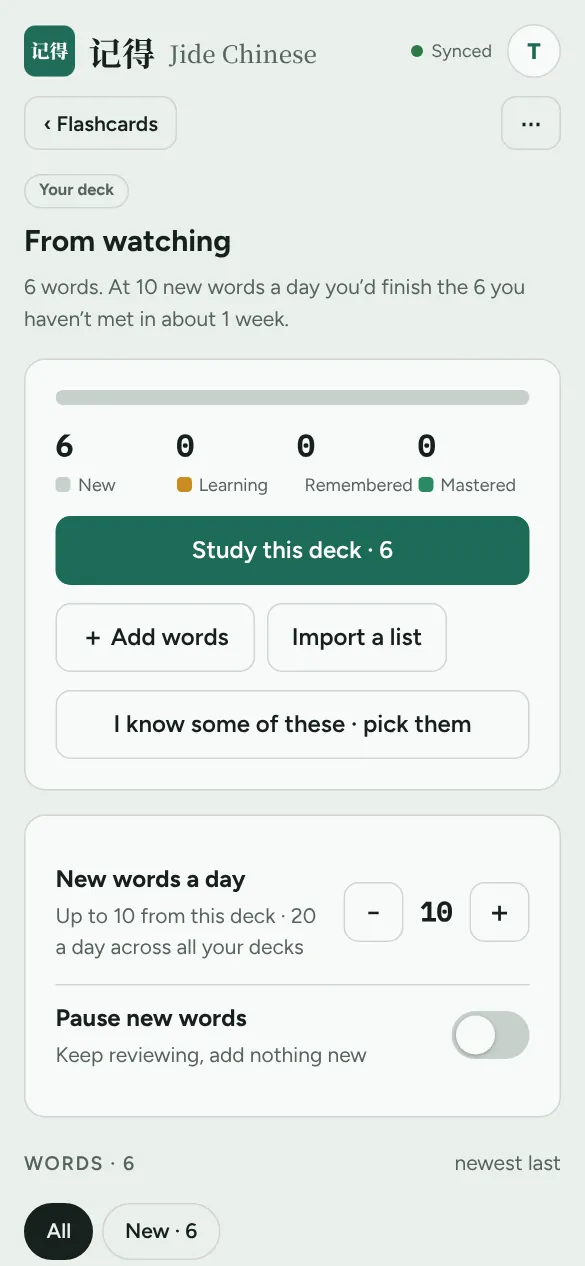
It’s waiting in your flashcards
Next time you open Jide Chinese or Jide Spanish, your words are already in the deck you picked (“From watching” unless you chose another). Nothing to copy, nothing to export.
-
3Every day after
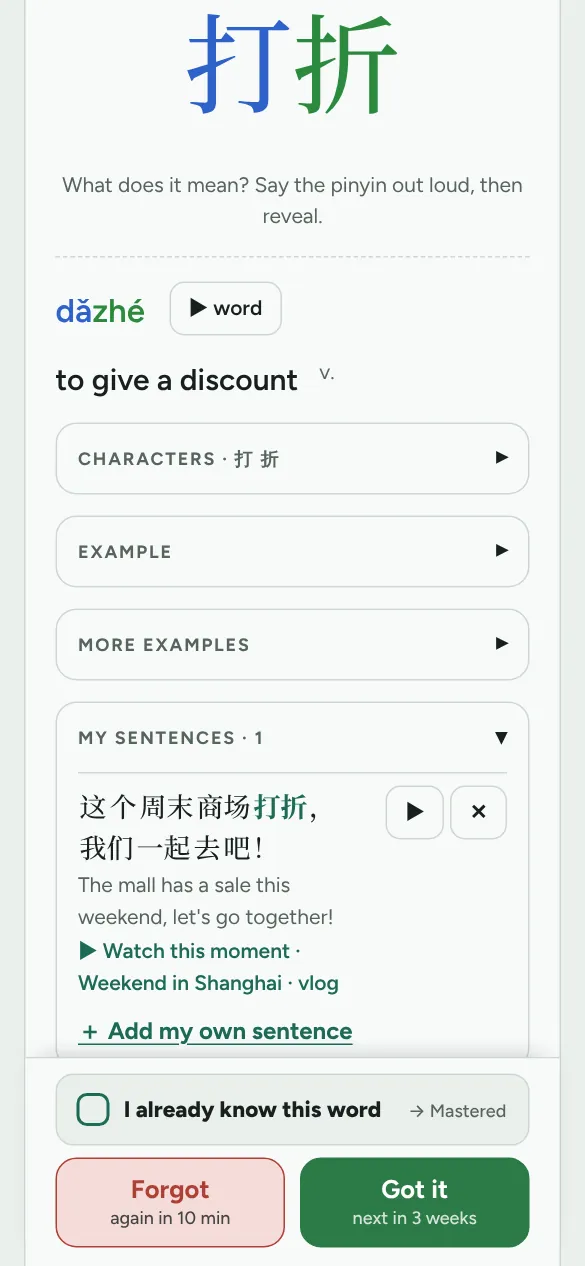
Remember it, with the line you heard
Jide brings the word back just before you’d forget it. On the back of the card is the line from the video, and ▶ Watch this moment takes you back to the exact second you heard it.
One account, one set of words
Watching, reading and reviewing all feed the same picture of what you know, so the rest of Jide gets better the more you watch.
Everything in the subtitle bar
- Tap any wordSame dictionary and meanings as the Jide app. Spanish verbs find their dictionary form: fui → ir.
- The meaning in this lineWords with several meanings show the one the speaker means, and that’s the meaning that goes on your flashcard.
- Hear the word▶ plays it in Amy’s (Chinese) or Lucía’s (Spanish) voice, the same voices as the app.
- Pick the deck“From watching”, any of your own decks, or a new one. The line and the link back to the video are your choice.
- Replay, slower, pause after each lineCatch every line at your own speed.
- Hide textA listening test: the subtitles blur until you tap them.
- Pinyin and English on or offTurn either one off when you’re ready to read without help. Drag the bar anywhere on the video.
- No Chinese or Spanish captions?Switch on YouTube’s translated subtitles in the Jide button. The bar marks them as machine-translated.
Works on a computer in Google Chrome or Microsoft Edge, on YouTube videos with Chinese or Spanish captions. You need a Jide Languages account to save words. Your progress in Jide is never changed by the extension: it only adds new words, which the app picks up the next time you open it.